
Invoicely.
From invoice documents
to usable information.
AI-assisted extraction brings invoice information into a structured workflow, with context for review and a place to manage the result.
- Next.js
- Supabase
- AI-assisted extraction
- 01DocumentThe original invoice
- 02AI extractionRelevant information identified
- 03Structured dataIndividual invoice fields
- 04Invoice workflowReview and manage invoices
The information is there.
Give it structure.
Invoices contain useful business information, but arrive as documents. Reading each one and entering its contents manually separates the document from the data a workflow needs.
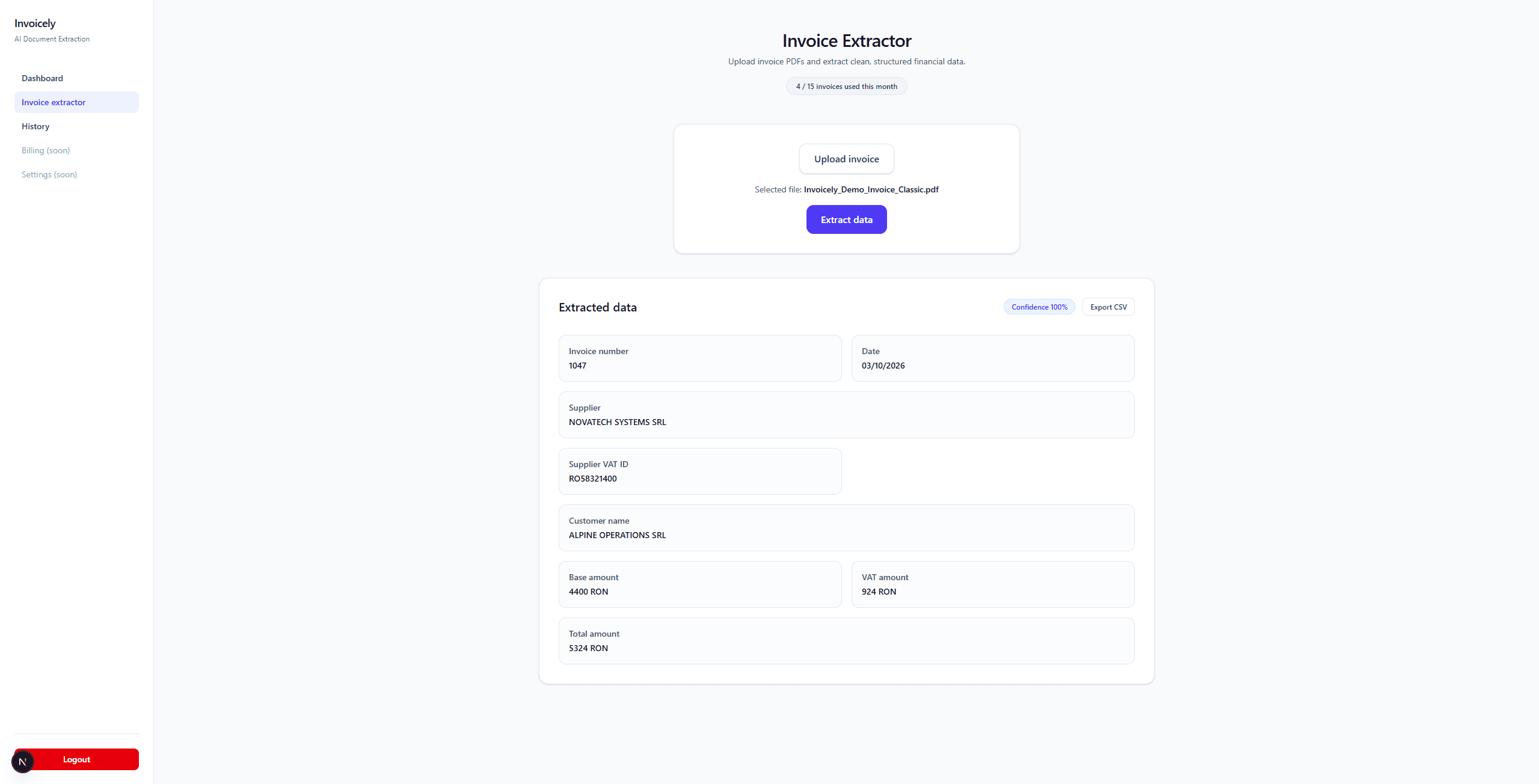
Invoicely processes an invoice and extracts relevant information into individual fields, making the result available within the application.
Invoice identity
- Invoice number
- Invoice date
Parties
- Supplier
- Customer
Amounts
- VAT
- Subtotal
- Total
Useful output.
Visible context.
AI output should not be presented as unquestionable. Confidence, warnings and raw text provide context around the extracted fields.
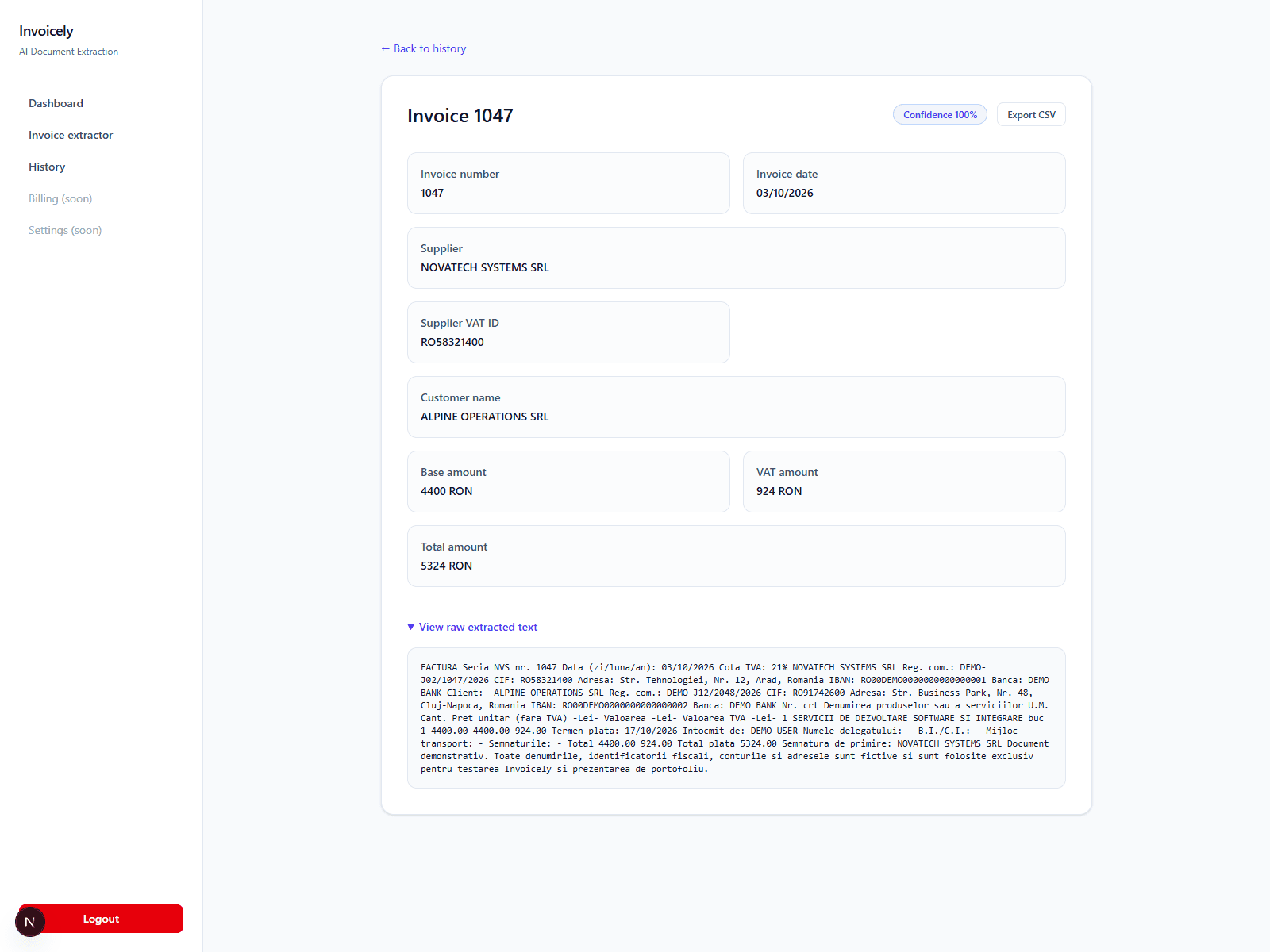
- 01Confidence
- A confidence field adds context to the extraction. It is not a guarantee that every value is correct.
- 02Warnings
- Warnings accompany the extracted information, helping keep potential issues visible during review.
- 03Raw text
- The extracted raw text remains part of the result, alongside the structured invoice fields.
More than
an extraction.
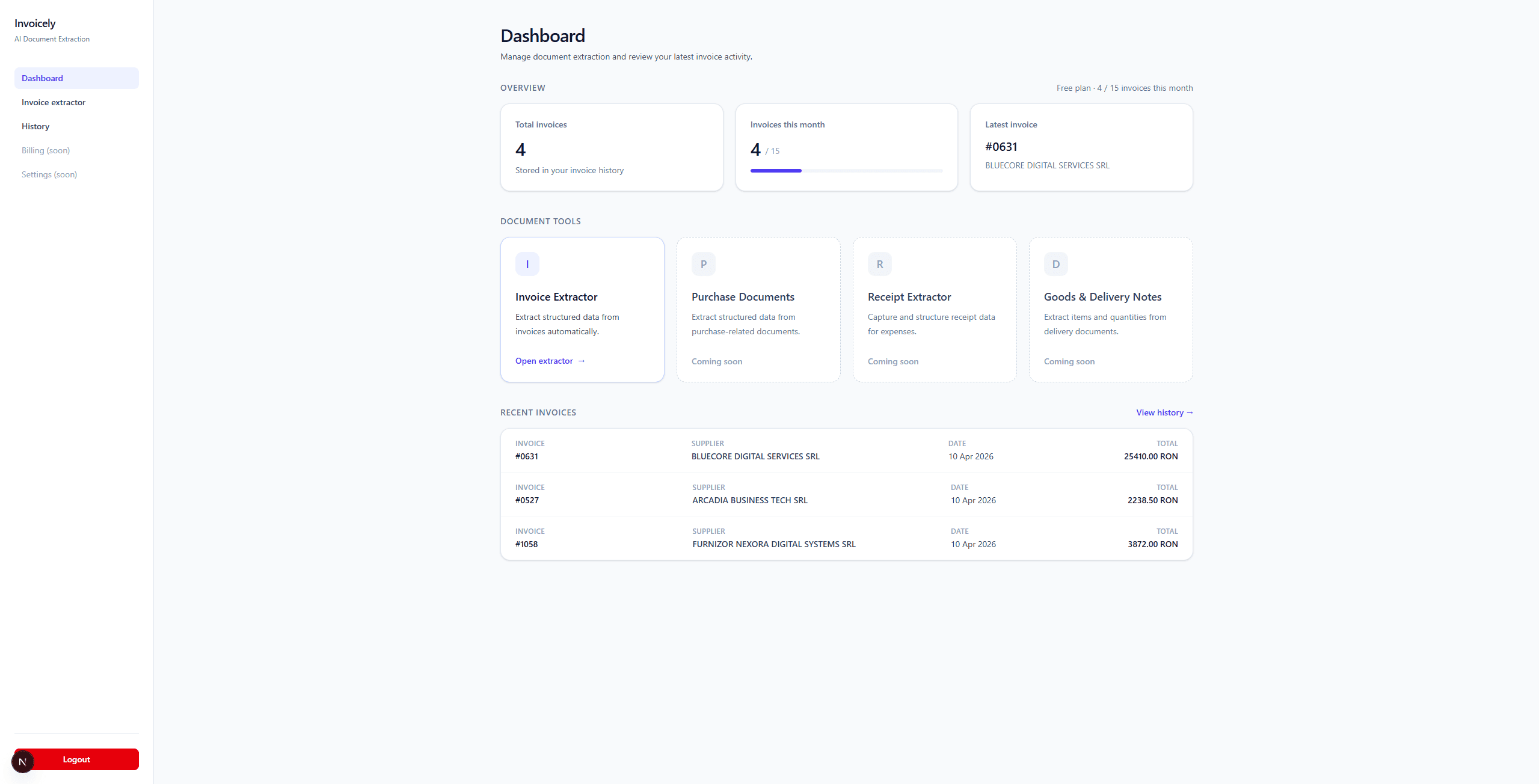
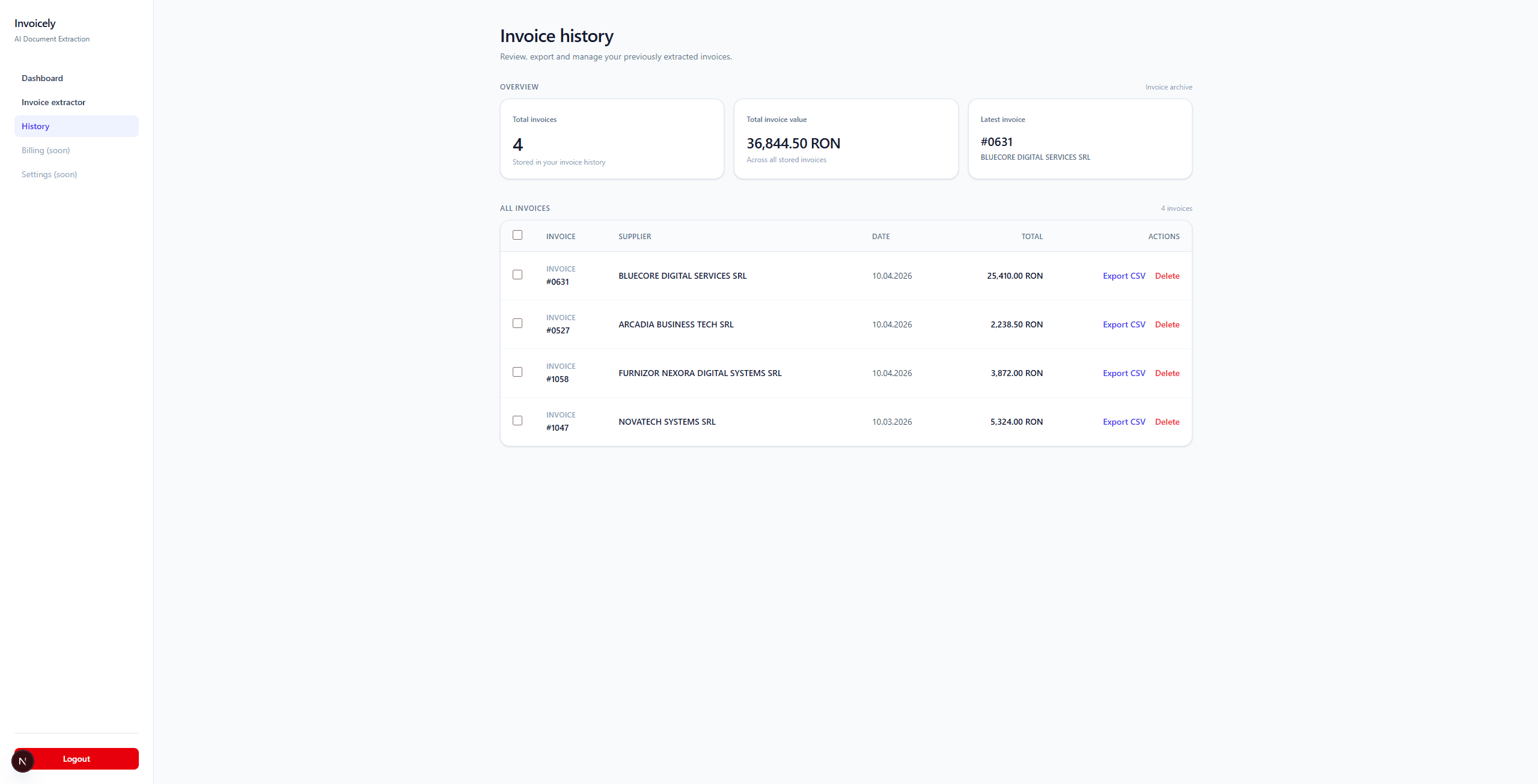
The product includes a landing page and login, with authentication and Google OAuth implemented. Inside the application, a dashboard, invoices, invoice history, individual invoice pages and a billing area give the workflow a home.
- Landing page
- Login
- Dashboard
- Invoices
- Invoice history
- Invoice detail
- Billing
A defined starting point.
A connected stack.
per month
The Free plan has an implemented monthly limit of 10 invoices.
- Web application
- Next.js App Router
- Authentication
- Supabase authentication Google OAuth
- Invoice data
- PostgreSQL Supabase database
- Document processing
- AI-assisted invoice extraction