
Trailer
Inventory.
A clear record at
every handover.
The trailer changes hands.
The equipment goes with it.
Drivers frequently exchange trailers. A trailer can also move from a driver to the garage, or from the garage back to a driver.
Each transfer includes equipment. Without a structured inventory record, missing items can leave uncertainty about what was handed over and who was responsible at that point.
From a QR code
to a transfer record.
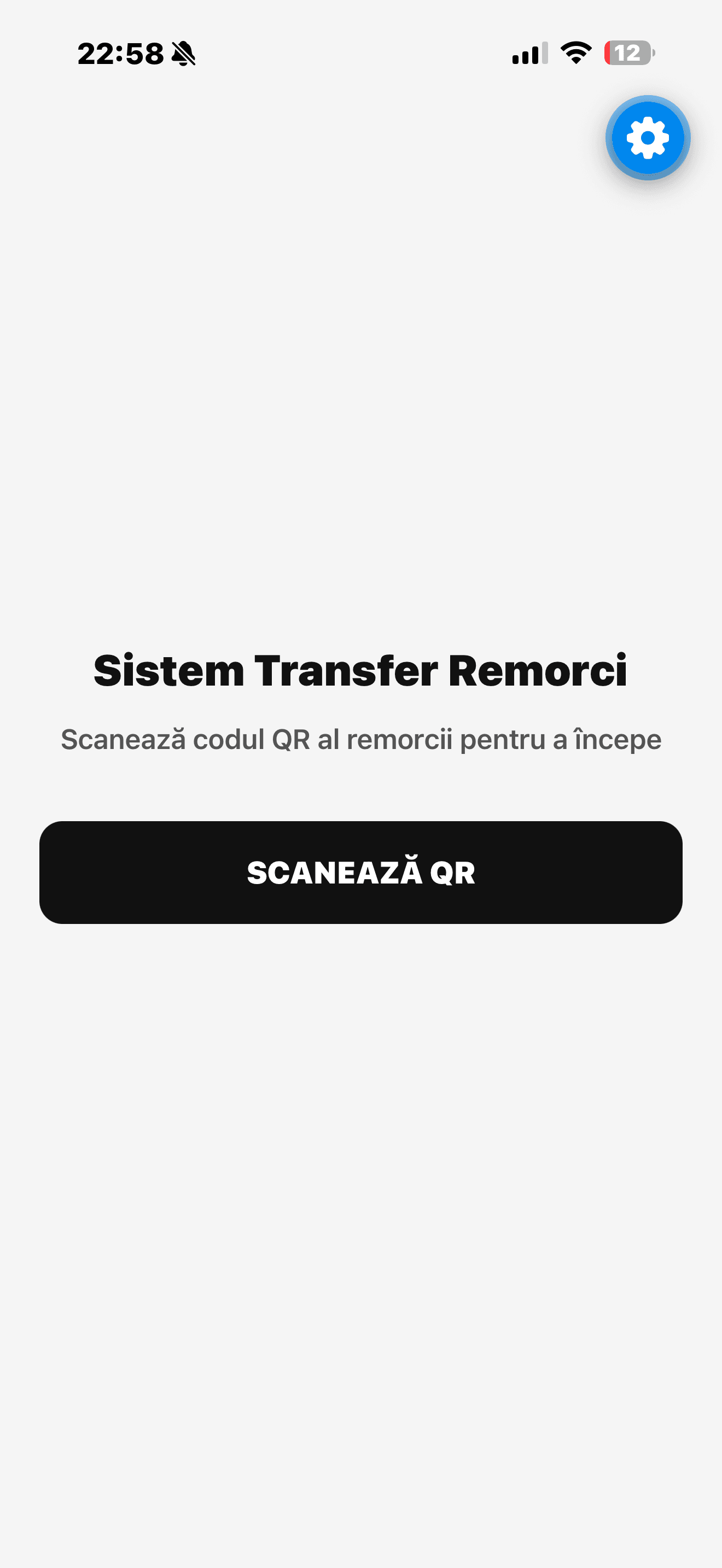
One sequence for the person performing the handover: identify the trailer, check its equipment and confirm the transfer.
- 01
Identify
Scan the trailer’s QR code.
- 02
Choose
Receive or hand over the trailer.
- 03
Check
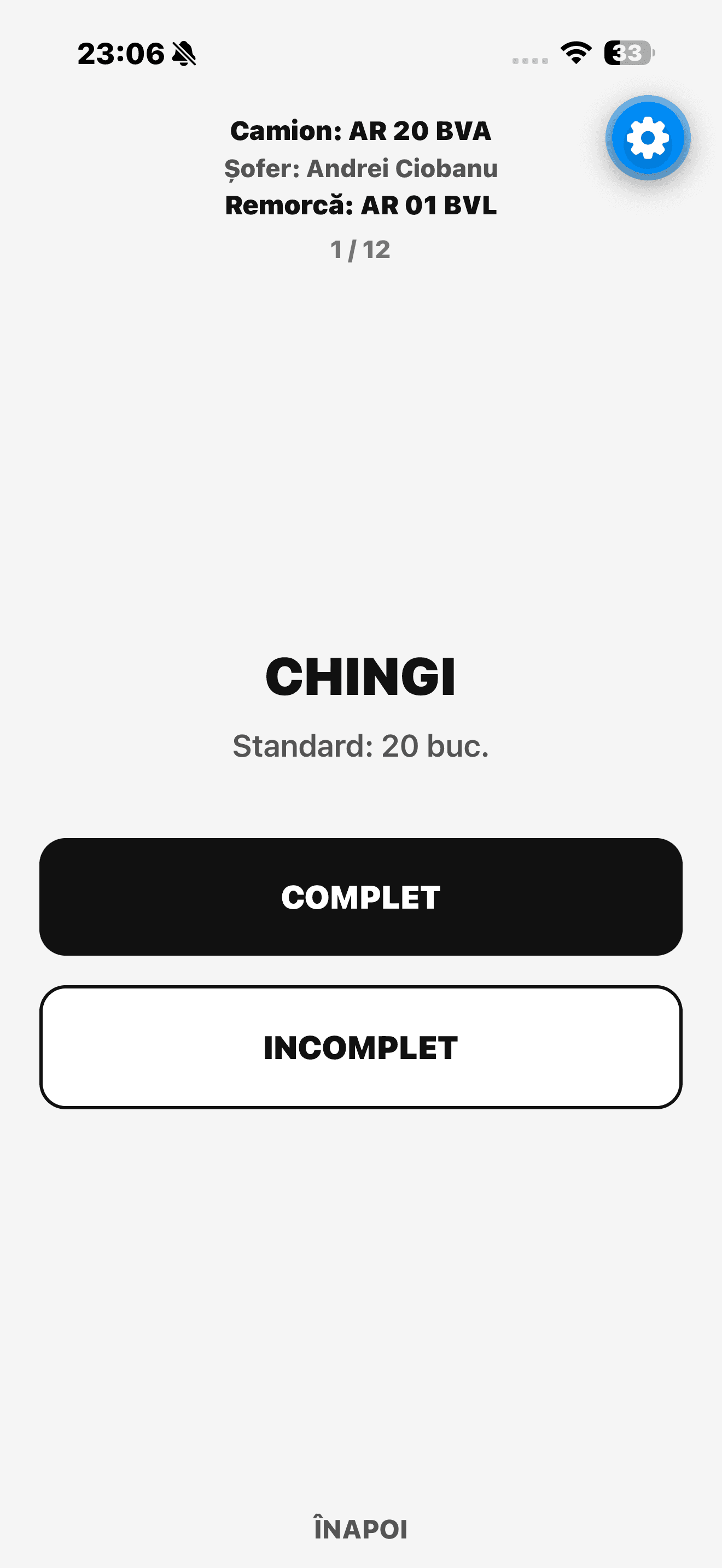
Mark inventory complete or incomplete. Record the relevant quantity when incomplete.
- 04
Review
Check the transfer details and inventory state.
- 05
Confirm
Confirm the handover.
- 06
Record
Store the relevant transfer information.
The transfer is the task.
The workflow follows the operation itself, keeping trailer identification, inventory checks and confirmation in a clear sequence.
A phone can be associated with a truck. Because drivers may change, the current driver’s name is entered for the relevant transfer.
- Trailer
- AR 01 BVL
- Truck
- AR 20 BVA
Every item belongs
in the record.
The standard inventory covers the equipment carried with a trailer. Each item can be marked complete or incomplete; when incomplete, the relevant quantity is recorded.
- Straps
- Ratchets
- Plastic corner protectors
- Cargo bars
- Aluminium bars
- Broom
- Shovel
- Jack
- Wheel wrench
- Winter chains
- Flashlight
- Customs cable

A handover ends.
The record remains.
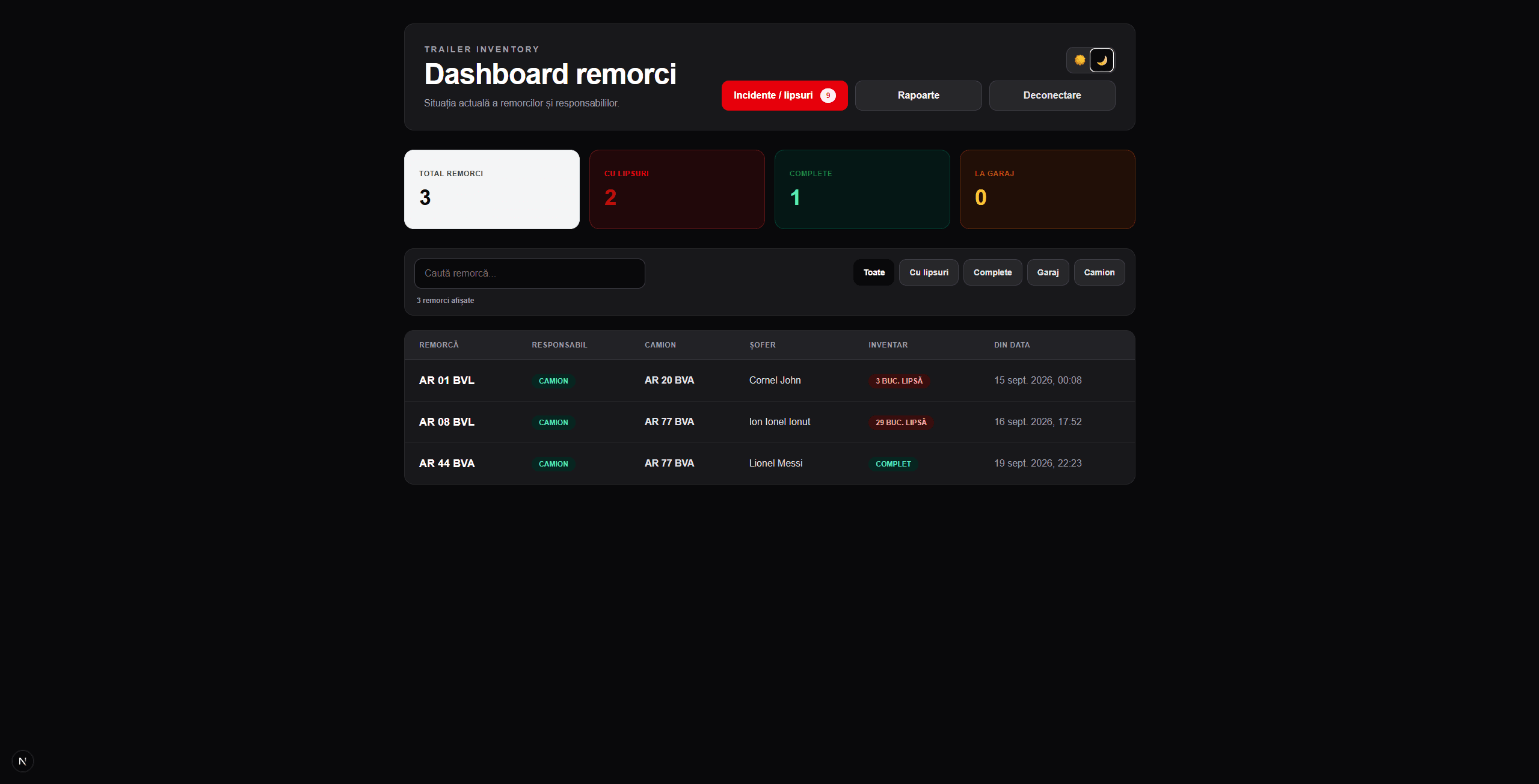
Structured transfer information makes it possible to trace the recorded inventory state and responsibility through successive handovers.
- Which trailer
- The trailer identified for the transfer.
- Who was involved
- The people involved and responsibility at that point in the process.
- What was present
- Inventory completeness and missing equipment.
- When it happened
- The time of the transfer.
Built around
the mobile workflow.
The application brings mobile interaction, QR identification, authentication and stored transfer data into the same operational workflow.
- Application
- React Native Expo
- Navigation
- Expo Router
- QR identification
- expo-camera
- Authentication
- Supabase authentication
- Transfer data
- PostgreSQL Supabase database